We’ll be upfront: you don’t have to be a cybersecurity expert to practice online safety. You can secure your accounts and transactions right now by taking some simple precautions.
You can stay safe online by protecting yourself against phishing scams, using strong passwords and keeping your device secure at all times. Other tips include keeping your personal information private, regularly monitoring your online activity and staying informed about security updates.
As part of Cybersecurity Awareness Month, we’re spotlighting eight practical tips for staying safe on the internet. After all, safeguarding your personal and financial information is more critical than ever — especially when using financial tools like PiggyVest and PocketApp.
1. Always verify a sender’s identity before taking action

Phishing scams are one of the most common ways cybercriminals steal sensitive information. These scams typically involve emails, messages or websites that appear legitimate but are designed to trick you into revealing personal details like your password or bank information.
To protect yourself, always double-check the sender’s email address, avoid clicking on suspicious links, and never share your login details — ever. Also, always confirm that a social media page is legit and hasn’t been hacked when they send you a link (even if it’s a trusted account).
Remember, we will never ask for your login details via email or SMS.
2. Use strong, unique passwords
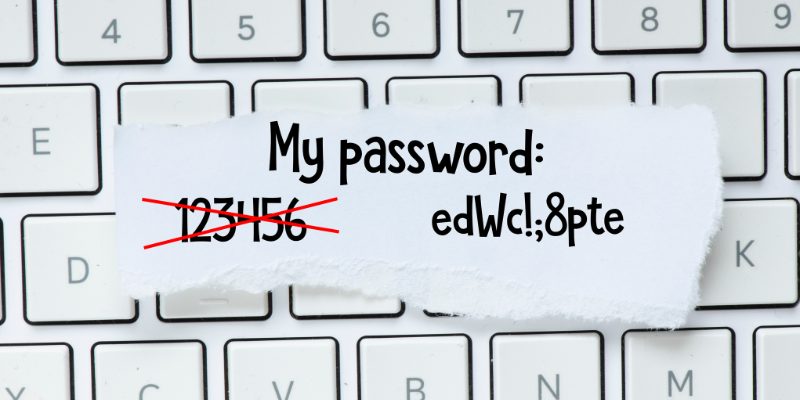
Your password is your first line of defence, so make sure it’s strong and unique. Avoid using common words or easily guessable information like your birthdate. Instead, create passwords combining letters (uppercase and lowercase), numbers and special characters.
Consider using a password manager to keep track of your passwords securely and ensure you’re not reusing the same one (or a variation of it) across multiple platforms.
3. Keep your device secure

Your device is the gateway to all your online accounts — not just PiggyVest and PocketApp — so keeping it secure is crucial. Install antivirus software, enable automatic updates, and be cautious when downloading apps or files. Malware and viruses can compromise your device’s security (even smartphones!), making it easier for hackers to access your data.
We also recommend you enable a lock screen with a PIN or biometric authentication to prevent unauthorised access to your phone or computer. You can never be too safe!

4. Don’t share personal information publicly

Be mindful of the information you share online — especially on X (formerly known as Twitter) and Facebook. Cybercriminals can piece together details from your social media profiles, emails or even casual conversations to commit fraud.
So, avoid posting sensitive information like your account numbers, home address or other personal identifiers on public forums or social media. When in doubt, keep your private information… private!
5. Regularly monitor your account activity

It’s a good habit to monitor your PiggyVest and PocketApp accounts regularly. Look out for unusual or unauthorised transactions — from weird logins to strange transactions. You can quickly secure your account and prevent further damage by catching suspicious activity early.
If you notice anything unusual, immediately report it to PiggyVest support and change your password.

6. Avoid using public wi-fi for financial transactions

Public Wi-Fi networks are convenient but risky. They are often unsecured, making it easier for hackers to intercept your data. When using PiggyVest or PocketApp for transactions, always connect to a secure, private network.
If you must use public Wi-Fi, consider using a virtual private network (VPN) to encrypt your internet traffic and keep your data safe from prying eyes.
7. Log out after using shared devices

If you access PiggyVest or PocketApp on a shared or public device (say, your work computer), ensure you log out after each session. Failing to do so could leave your account vulnerable to unauthorised access — even if you only step away for a moment.
It’s better to be safe than sorry!

You should also always clear your browser cache and history to remove any stored login information that others could exploit.
8. Stay informed about security updates

Cybersecurity constantly evolves, so staying updated on the latest threats and security measures is important. We regularly implement new security features to protect your PiggyVest and PocketApp accounts, so ensure you read any communications we send regarding account safety.
You can also follow trustworthy cybersecurity blogs or subscribe to emails that help you stay informed about the latest online threats and how to avoid them.
Conclusion
By following these tips, you’ll significantly reduce your risk of falling victim to cybercriminals. Remember: online safety is a shared responsibility, and being proactive about securing your accounts is the best way to protect your money on PiggyVest and PocketApp.
Happy Cybersecurity Awareness Month! Stay safe on the ‘Net!
The articles on the PiggyVest Blog are developed by seasoned writers who use original sources like authoritative websites, news articles and academic journals to perform in-depth research. An experienced editor fact-checks every piece before it is published to ensure you are always reading accurate, up-to-date and balanced content.
- The dangers of sharing personal information on social media
- Google Account Help: Clear cache & cookies