Skip to content
Money
Close Money
Open Money
A Nigerian Christmas
Money Hack
Money Lessons From…
Love & Other Funds
Money Tips
My Money Mistake
On The Money
Six Figure
The Money Brief
Women & Money
Save
Close Save
Open Save
Announcements
MyPiggyvest
Invest
Life
Close Life
Open Life
Comics
Lead Talks
The Cost of Everything
The Vendor
Start Saving
Money
Close Money
Open Money
A Nigerian Christmas
Money Hack
Money Lessons From…
Love & Other Funds
Money Tips
My Money Mistake
On The Money
Six Figure
The Money Brief
Women & Money
Save
Close Save
Open Save
Announcements
MyPiggyvest
Invest
Life
Close Life
Open Life
Comics
Lead Talks
The Cost of Everything
The Vendor
Start Saving
Money
Close Money
Open Money
A Nigerian Christmas
Money Hack
Money Lessons From…
Love & Other Funds
Money Tips
My Money Mistake
On The Money
Six Figure
The Money Brief
Women & Money
Save
Close Save
Open Save
Announcements
MyPiggyvest
Invest
Life
Close Life
Open Life
Comics
Lead Talks
The Cost of Everything
The Vendor
Piggyvest
Piggyvest
Save
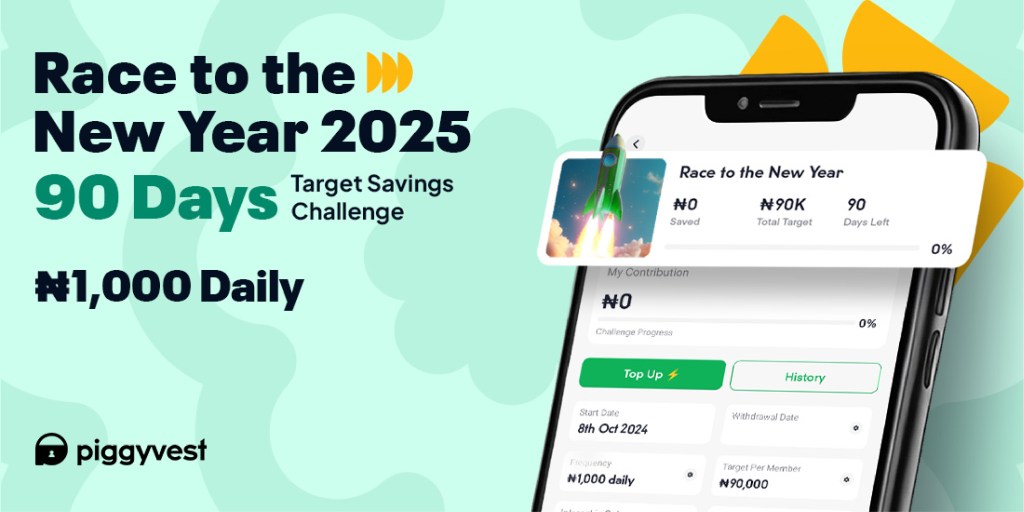
It’s Time To Race To The New Year!
Quiz
QUIZ: How Well Do You Know PiggyVest At 8?
Save
PiggyVest is 8: A Letter From Our Founders
A to Z of Finance
QUIZ: Test Your ‘A to Z of Finance’ Knowledge
Save
Security At Piggyvest
Announcements
You’ve Been Invited To The Big Brother Naija House
Announcements
Introducing The”Pocket by PiggyVest” App
Save
#MeetAPiggyVestSaver: Cassie Daves
Announcements
PiggyVest Partners With Non Tech In Tech & Nexford To Upskill Undergraduates
Save
#MeetAPiggyVestSaver: Mr Macaroni
Save
#MeetAPiggyVestSaver: Godswill
Save
How To Save As A Group On PiggyVest
Read More
Here’s how to use Safelock on PiggyVest:
Log in to your PiggyVest app.
Go to “Savings.”
Click on ‘Safelock’ and select “Create a Safelock.”
Choose how long you want to lock your funds.
Enter the amount and title of the Safelock.
Choose a payback date and select the source of funds.
Click on “Preview Safelock” and authorise the transaction.
Click on “Create Safelock.”